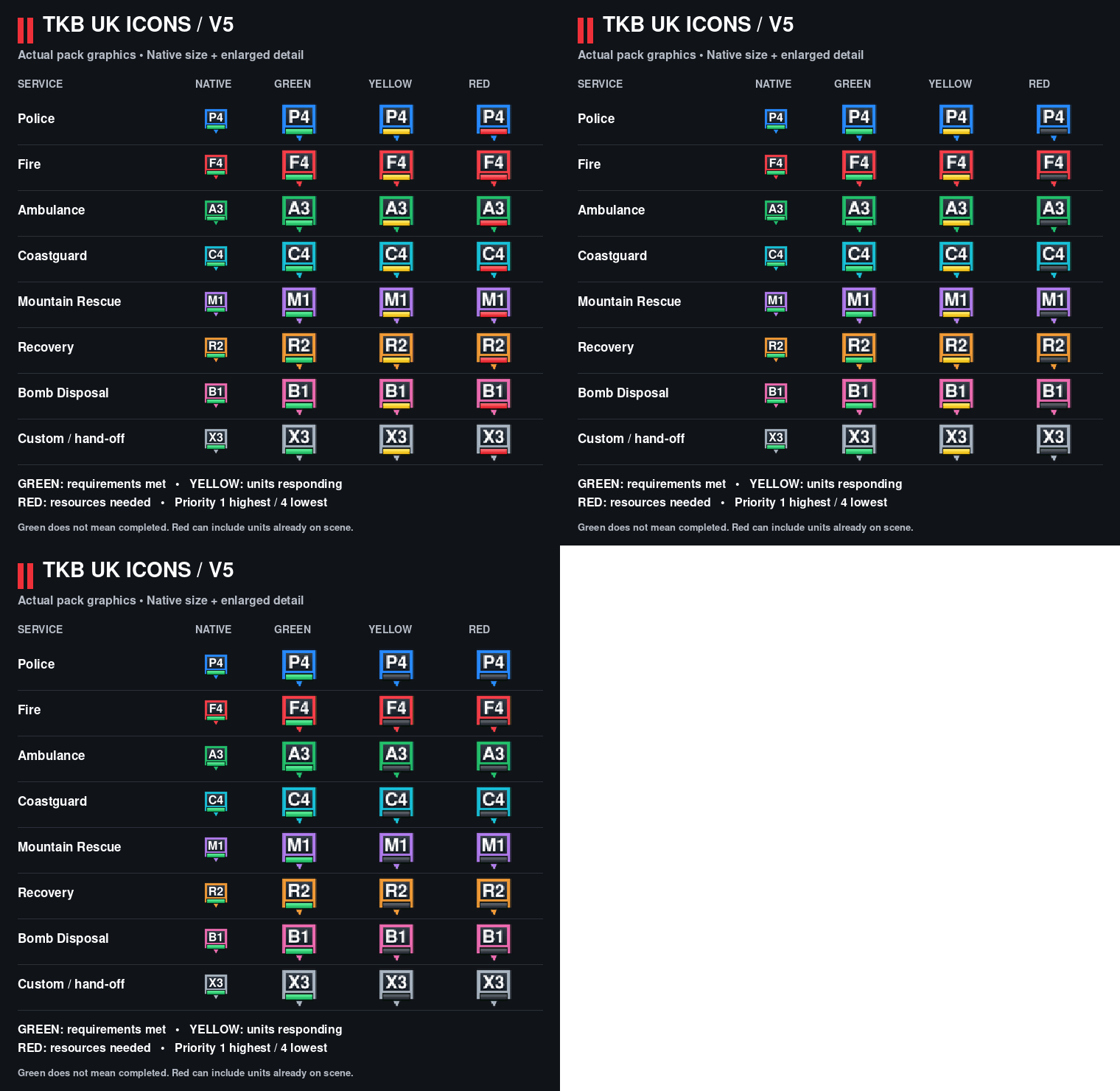
I’ve updated my mission graphics pack for MissionChief UK: TKB UK Icons — V5.
Fully updated as of 26 September 2026. I’ll continue to maintain and update the pack for the foreseeable future.
Direct link to the pack:
https://www.missionchief.co.uk/mission_graphics/539
Compact, colour-coded mission markers for MissionChief UK, created by Conroy1988 / TKB Gaming.
READING THE ICONS
The letter and frame colour identify the mission's main service, not every service needed to complete it:
P — Police (blue)
F — Fire (red)
A — Ambulance (green)
C — Coastguard (cyan)
M — Mountain Rescue (purple)
R — Recovery (orange)
B — Bomb Disposal (pink)
X — Custom missions (neutral grey)
The number shows the priority assigned by this pack: 1 is highest and 4 is lowest. It stays the same as the mission's status changes. These ratings are a visual guide for gameplay, not an official emergency-service classification.
MISSION STATUS
The lower status bar follows the game's green, yellow and red mission states:
• Steady green — REQUIREMENTS MET: all required resources are on scene and the mission can progress. Green does not mean the mission has finished.
• Slow-flashing yellow — UNITS RESPONDING: units are on their way to the mission.
• Fast-flashing red — RESOURCES NEEDED: no units have been dispatched, or required resources are still missing. A mission can be red even when some units are already on scene.
The service letter, frame and priority number remain clear while the bar flashes.
PACK CONTENTS
884 mission entries, including variants and custom slots, with three state graphics per entry — 2,652 images in total. All graphics use a compact 32×37 transparent design.
MissionChief UK guide: